A desktop authenticator to replace Authy on Mac and Windows
When Authy discontinued its desktop apps in 2024, it left Mac and Windows users without a way to get their two-factor codes on a computer. 2FA Vault fills that gap: a native desktop authenticator that stores every TOTP code in an encrypted local vault, with one-click copy and a live countdown ring. It's free, works offline, and needs no account.
Where the desktop authenticators stand
| App | Desktop app | Import your accounts | Price |
|---|---|---|---|
| Authy | Discontinued (desktop removed 2024) | — | — |
| Google Authenticator | Phone only | Export via QR | Free |
| Microsoft Authenticator | Phone only | — | Free |
| 2FA Vault | Mac + Windows | Google Auth, Aegis, 2FAS, otpauth | Free |
How to move off Authy
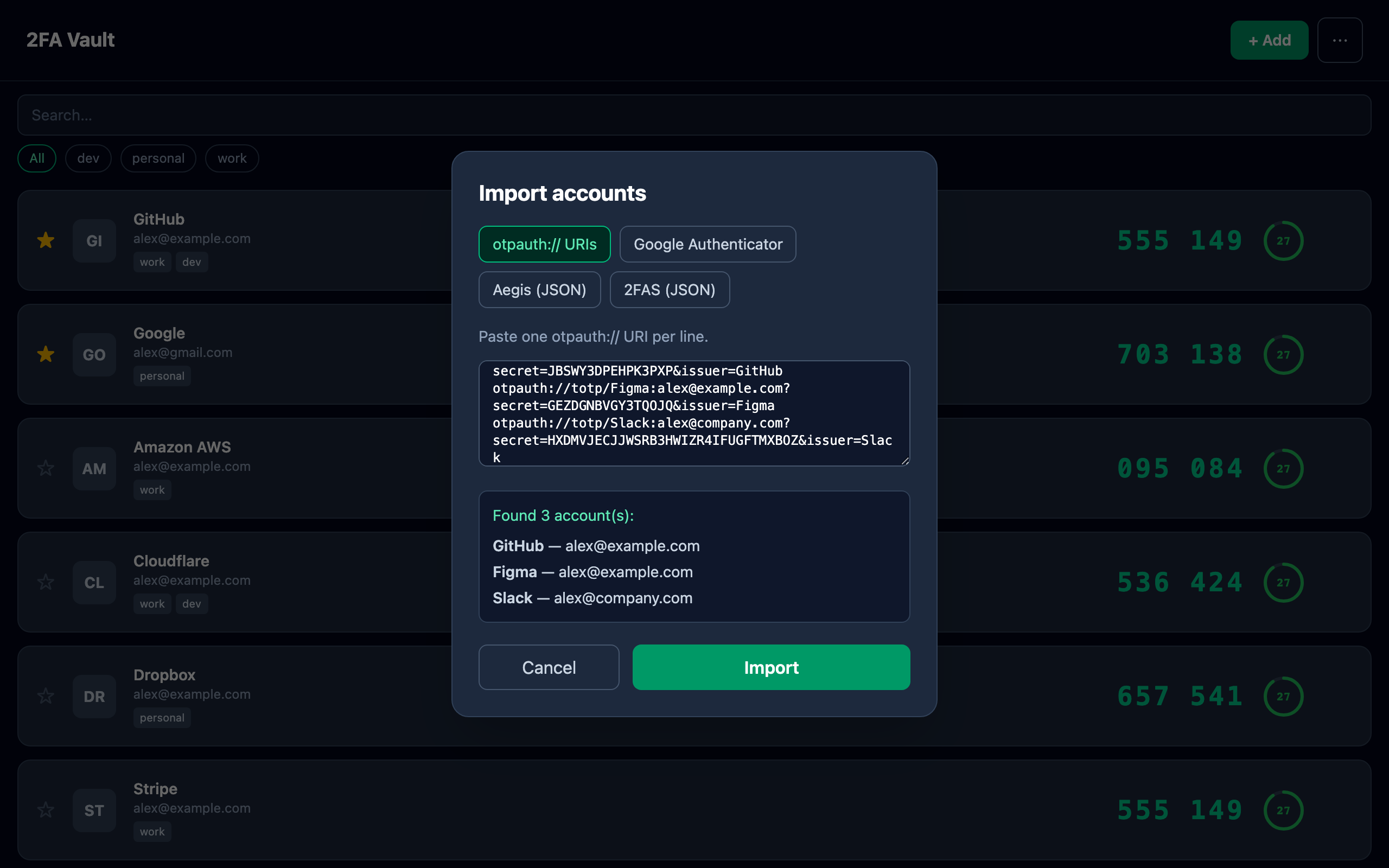
Authy doesn't let you export your account seeds, so you re-add each account in 2FA Vault by scanning its QR code or pasting an otpauth:// link — the same one-time setup you did originally. After that, everything lives in your own encrypted vault, and you can save an encrypted backup you fully control.
- Does 2FA Vault run on the desktop like the old Authy app?
- Yes — it's a native desktop app for both Mac and Windows, so your two-factor codes live on your computer with no phone required to sign in.
- Can I import my Authy accounts?
- Authy doesn't allow exporting account seeds, so you re-add each account by scanning its QR code or pasting an
otpauth://link. 2FA Vault also imports directly from Google Authenticator, Aegis, and 2FAS. - Where are my codes stored?
- In an encrypted local vault on your device, protected by your master password with AES-256-GCM. No cloud account holds your codes, and you can make your own encrypted backup.